ActionLink Documentation
Documentation on how to use ActionLink
ActionLink Briefing
Welcom to ActionLink! ActionLink is the only interactive client portal builder for monday.com. As we are rapidly developing and updating ActionLink, make sure to have this page bookmarked and check in here often to be informed about the latest features and how to use them to maximize the utility of ActionLink for your business.
Next in line
Recent Updates
V37.6 - Email Verification
Dec 9th
- Email verification code on client enter to secure the portal
V37.5 - Approvals, Blocks, Audit Logs
Dec 5th
- Highly customizable approval processes and change workflows
- E-signatures
- Audit logs for seeing the activity of your clients
- Customizable presentation blocks and charts
V37.2 - Robust Studio
Nov 11th
- Setup wizard for easy onboarding
- AL Studio redesign - Allow easier and less complicated ways to set up portals
- More robust client portals with action feedbacks
V36.1 - Faster loadings
Oct 19th
- Fetching items/subitems/columns is 20x faster now
- Minor bug fixes and improvements
- Tutorial videos added to studio dashboard
V36 - Easy client-portal management
Scheduled for: Oct 7th 10th 17th - DELAYED due to changes in pricing
Actual release: Oct 15th
Motives
After many dissection sessions with ActionLink current users to see how they utilize the app and what problems they are facing, recurring issues were as follows
- Importing clients
- If you have many clients, importing them one by one and waiting for the portal creation is tiring and kills the joy of using ActionLink
- Having to set up ActionLink studio with its special template is a bit unintuitive
- Sharing links &. Embedding into other platforms
- Sending links to clients is an unnecessary extra step that could easily be automated
- Some want to embed the portal for each client on a pre-existing platform like Shopify
- This distribution/integration process needs to be more straight forward and automatic
- Upload files to columns
- Even though file columns are supported, uploading to file columns is not. This should be allowed for a better client experience
- monday allows unlimited files stored in file columns each up to 500MBs
- Portal access without a login
- Some clients prefer a simple link that doesn't require a password to access the portal
Main objectives
- Ability to add studio on any board
- No need to import clients and create portals, each client item is automatically a portal - You just need to add a board of clients to ActionLink and the rest is automatic
- Central client hub
- A white-label, branded central hub where clients input their emails and get access to their own portal
- No need to send crazy links around - If the client is on the board they can access their portal through their email
- Alternatively the access could be granted through a new API outlet for custom iframe embeds (Shopify, etc.)
- No-pass links
- Portals without a password requirement to access them
V33.9 - New Studio
Aug 19th
How to use the new version:
A new ActionLink is here! We have been hard at work re-structuring ActionLink to make it easier to expand it further and add other features in the future.
Please note that agency actionlinks are deprecated as of now. If you have an active portal with deprecated features they will still work for another month before we completely drop support for them. If you have any issues regarding this or need help dealing with your old ActionLinks, feel free to email me at will<at>actionlink.app
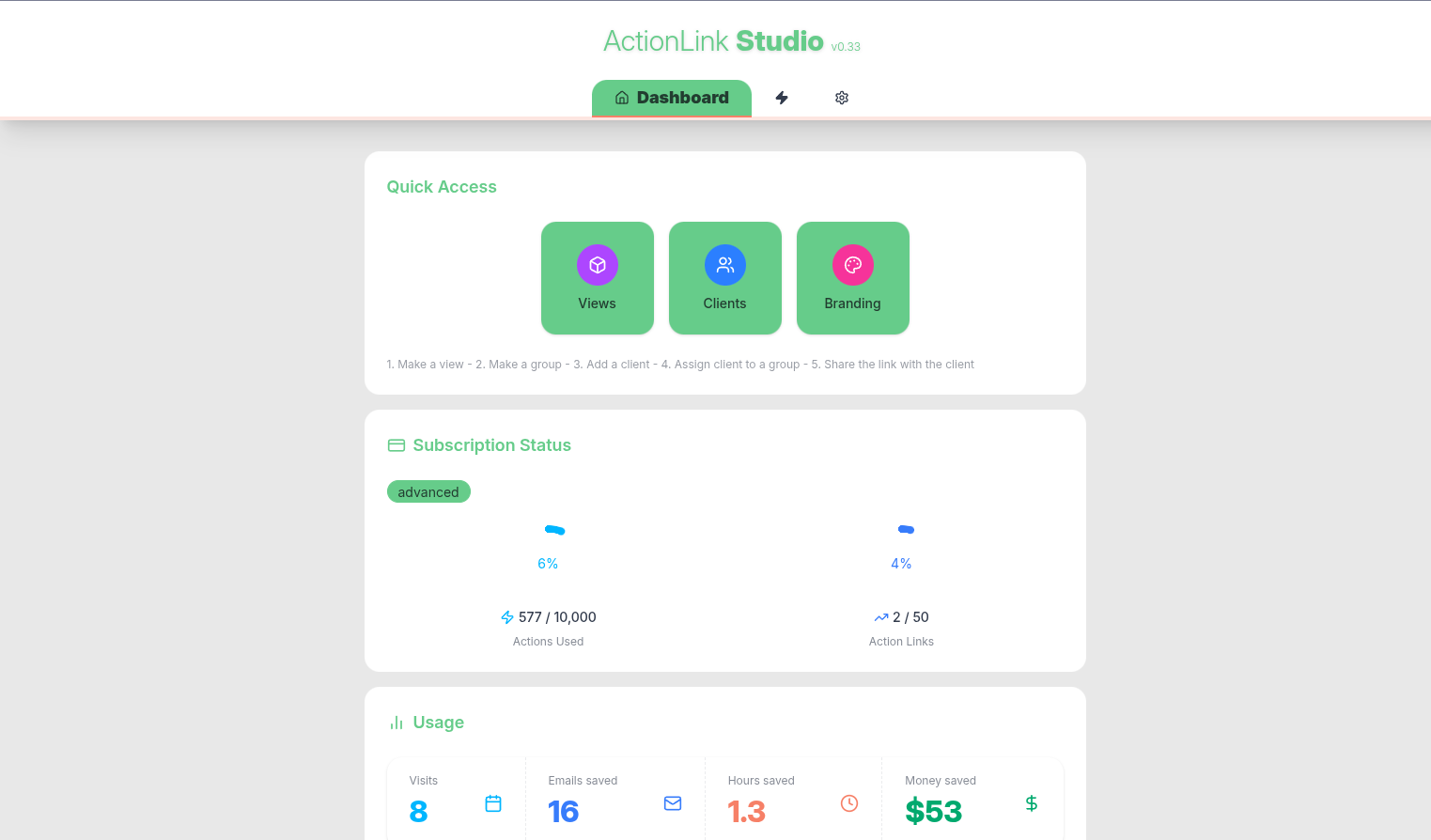
Change-log:
- Client importer tool
- Import clients from another board
- Client groups
- Reusable views
- New ActionLink Studio!
- Single-item views
- A lot of invisible quality upgrades
V33.1 - Connection Filters
June 2nd
Change-log:
- Connection filters:
- Only show items relevant to the client to them
- Ability to disable/reorder views
V33 - File sharing
May 27th
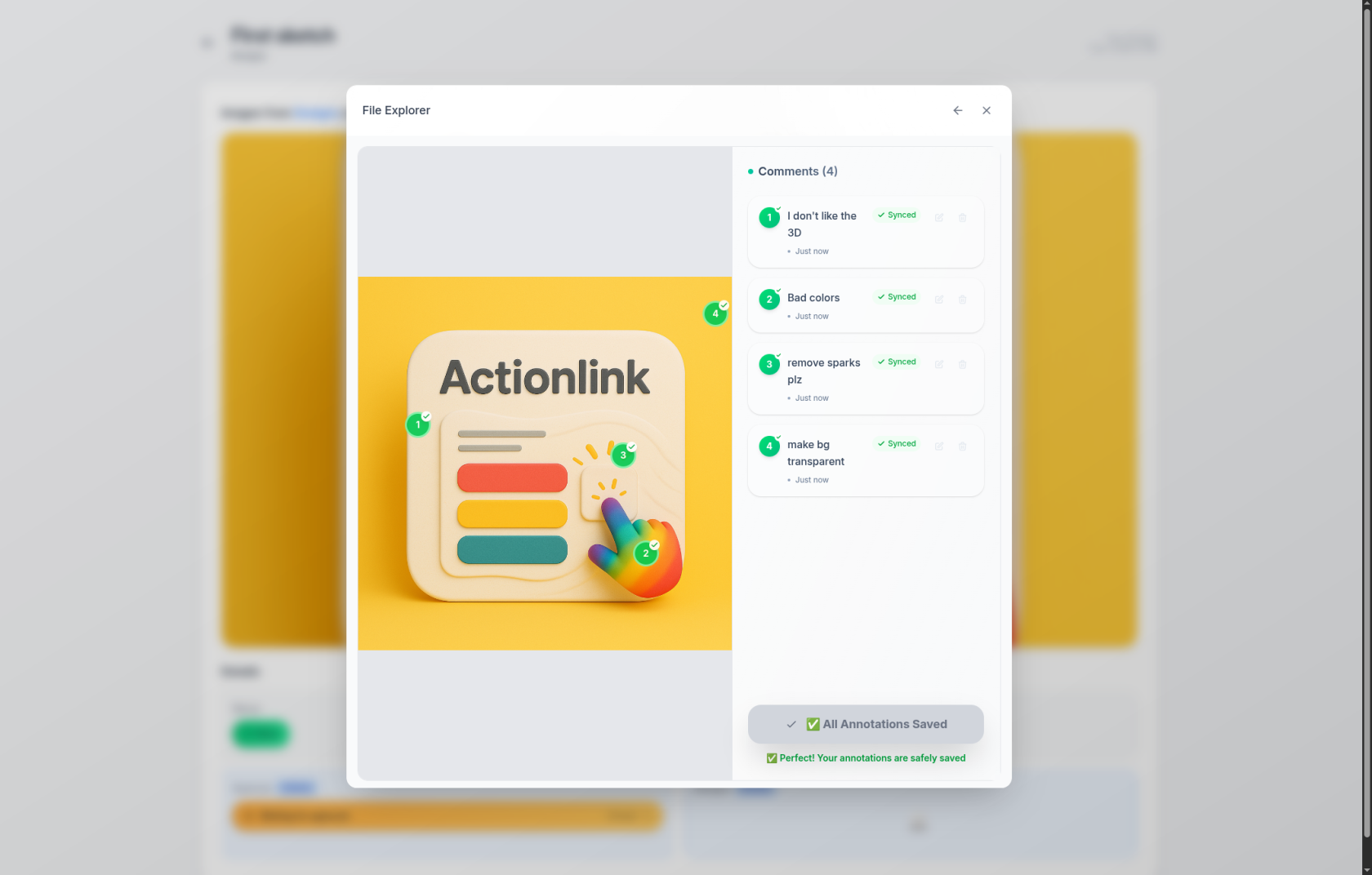
Change-log:
- File sharing and annotations (click to learn more)
- Loading screen flashing fixed
- "Show Password" button fixed
- Minor fixes
V30 - New Studio
May 5th
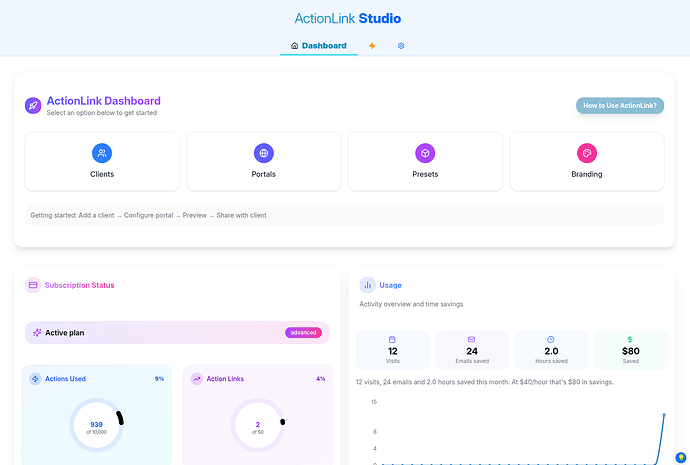
Change-log:
- New Dashboard
- New studio workflow
- New AL template
- Tabular/Card view
- Support for status update notes
V27 - Branding
Apr 16th
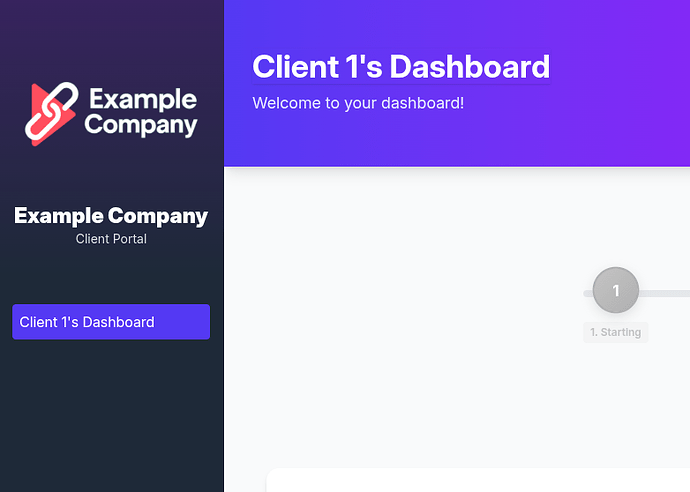
Change-log:
- Branding options
- Upload logo
- Set name of company
- Chat with client feature for agency view
- New login dialog looks
V26 - Prettier Portals
Apr 11th

Change-log:
- New Dashboard looks
- A better onboarding process
V25 - Agency View
Apr 8th
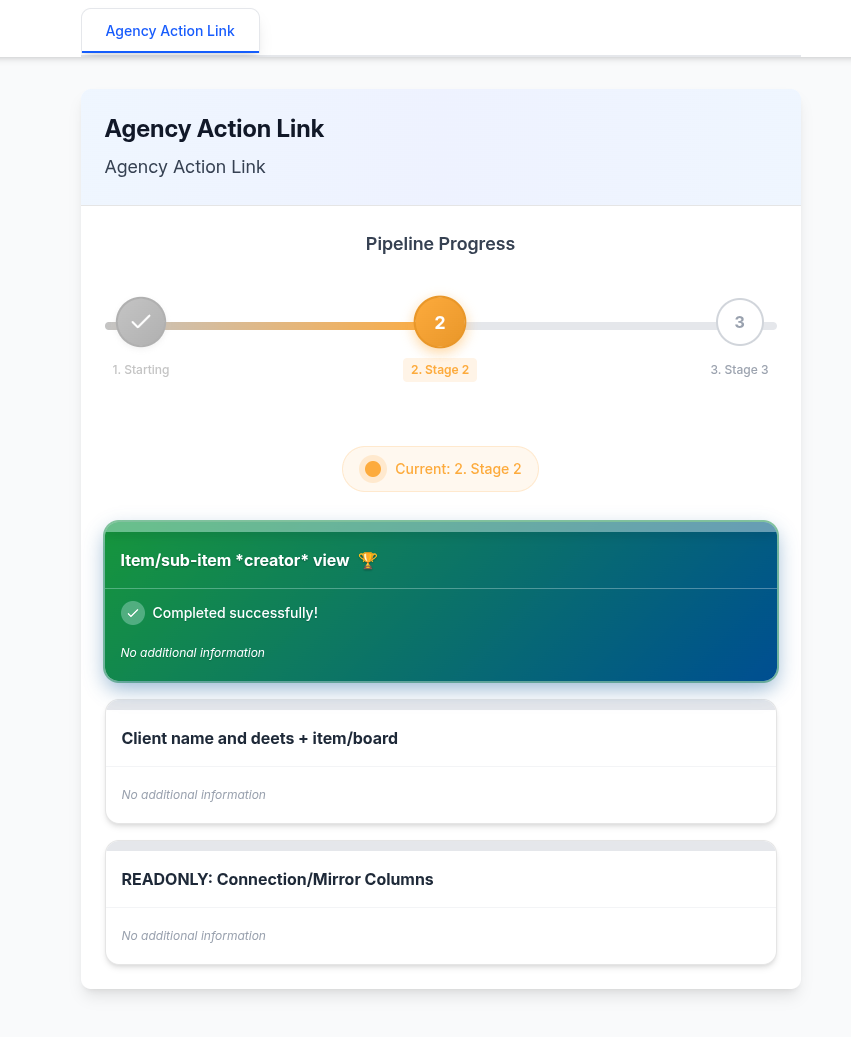
Change-log:
- Agency ActionLinks
- Pull items from anywhere across monday
- Status bar for tracking progress of project
- Actionlink Presets
- Item-based views
- Updated studio looks
Quick Start
An overview of new ActionLink:
Basic setup
Sharing additional boards
Advanced sharing of items and subitems
Known Issues
V36
- Column editing only allows one edit at a time. So when column is chaged user needs to wait for changes to sync and make another change after that.
- When drilling into the layers Board>Item>Subitem, if user presses the 'x' button to close the subitem view the portal goes back to board view. We need a back button in addition to 'x' button to go back to item level. (Users can always use their browsers 'go back' button).
V33
Here is a list of known issues ordered by priority:
- Batch import of clients doesn't allow you to fill the last empty spot
- New added columns don't show up on already existing views
- Adding a view to only one portal/client is not possible at the moment
- Races and dead locks might happen with multiple simultanous admin users (in Studio not in client portal)
- API rate limitations
- Working with a board with more than 500 items on it could be problematic
- If you have many clients you might face monday.com's rate limits: Learn more here
- No subitem view exists in the current version (v33.9)
Tutorials
Working on it! Thanks for your patience!
Reach out to support if you have any questions.